CoR-on-Linux
General troubleshooting
No textures
You had a blank page at character selection screen, and now ingame you get something like that:
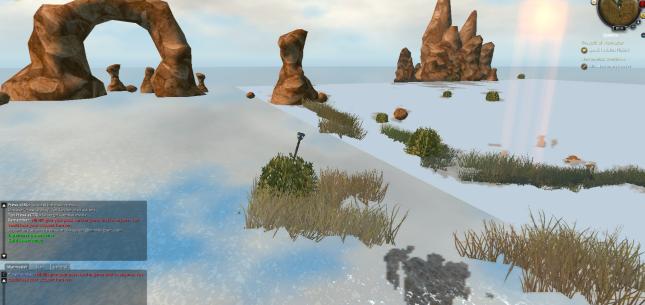
You will need to nerf your GPU to make it a 2009 one. Don’t worry, it only applies to the game!
You can modify your launcher icon to use this command line instead :
/usr/bin/env MESA_EXTENSION_MAX_YEAR=2009 /where/is/regnum/rolauncher
Limited FPS
On Linux, vsync is usually the default, whatever you put in the game options.
You can modify your launcher icon to use this command line instead :
/usr/bin/env vblank_mode=0 /where/is/regnum/rolauncher
Weird thousands separators
The game is in latin1, but modern Linuces use UTF8.
It’s mostly a French thing. Check your operating system docs to make the non UTF8 (usually ISO-8859-1) locale available (run locale -a to see them).
Once done, you can modify your launcher icon to use this command line instead (example for French) :
# French example
/usr/bin/env LANG=fr_FR.ISO-8859-1 /where/is/regnum/rolauncher
# Generic, work for any language, but no thousands separator
/usr/bin/env LANG=C /where/is/regnum/rolauncher
It”s possible that you need to add that locale to your system if not present:
Debian and derivatives
sudo dpkg-reconfigure locales
# tick your language, for example fr_FR for French
# validate the change
# Ensure the locale is well installed
locale -a