CoR-on-Linux
Using Steam and Proton to play Regnum
It’s by far the easiest and less troublesome way to play Regnum on Linux, at the expense of a bigger install size if you’re not using Proton already.
On recent Debian and derivative systems, you can install Steam by installing the steam-installer package. This is great because you don’t need flatpaks anymore.
We assume steam is already installed, and you’ve already installed Regnum in your library
Accessing game properties
- Go to your library
- Choose Champions of Regnum
- Click on the gear icon
- Click on Properties
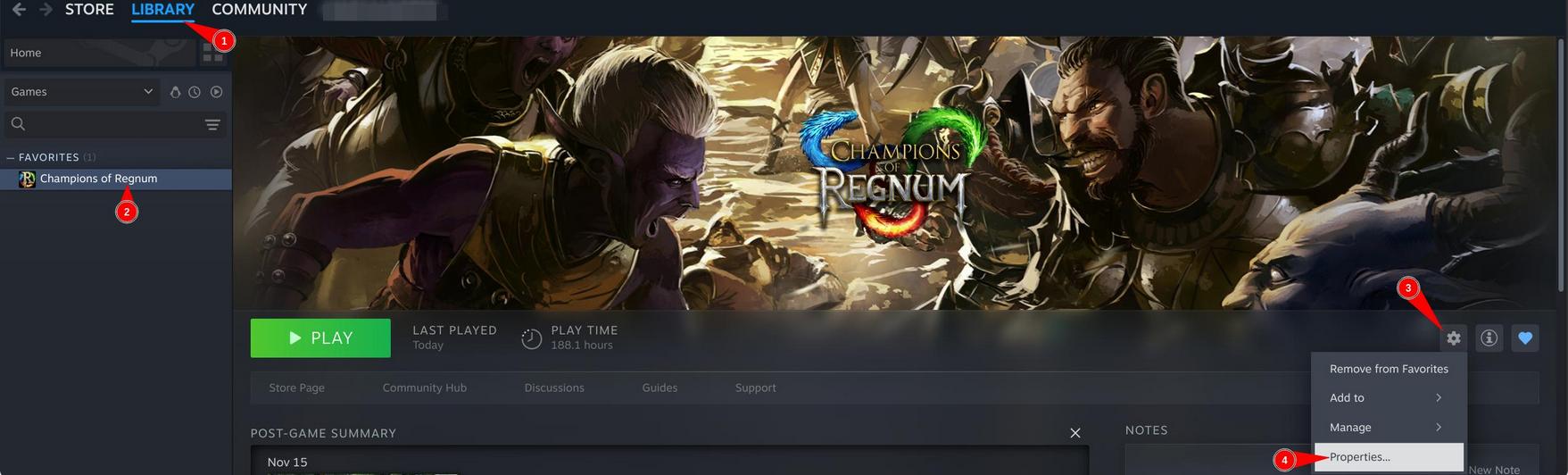
Move to proton
A new window appears:
- Click on Compatibility
- Check the specific compatibility tool; it’s necessary or it will pick the Linux native version instead!
- Use the latest Proton runtime containing a number, or experimental at your own risks :P
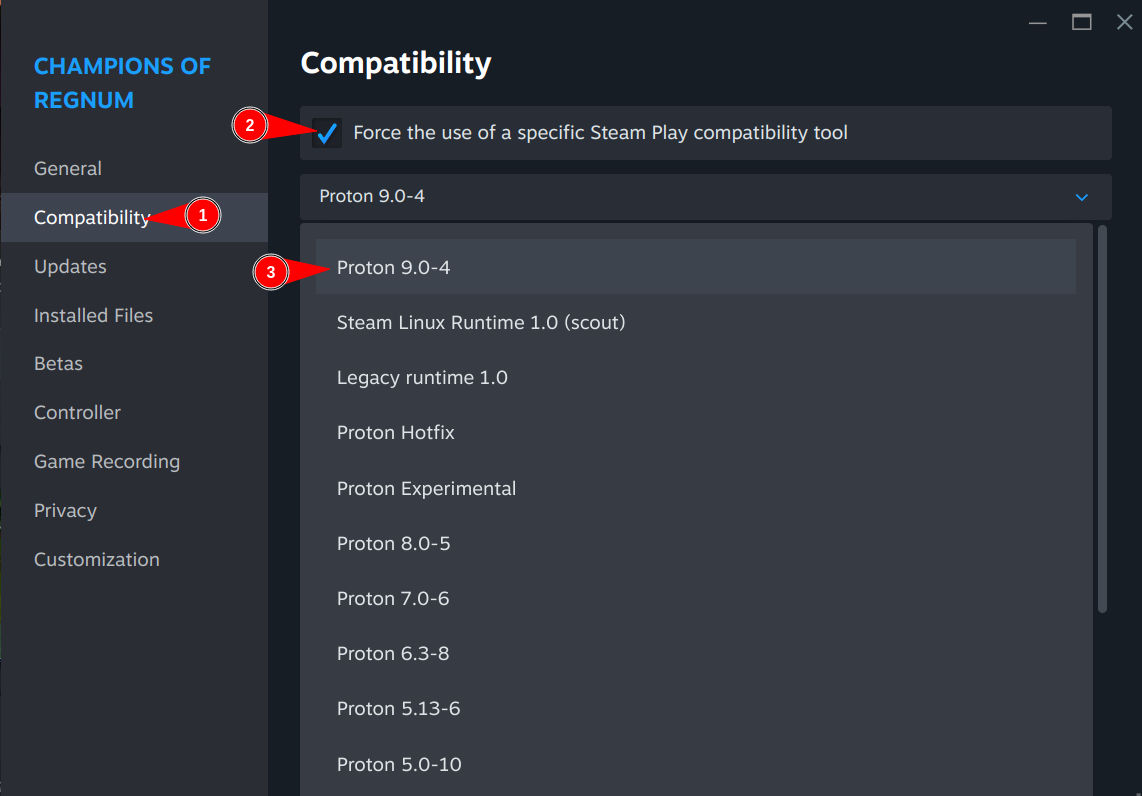
The proton runtime will then be downloaded, and so will the Windows version of the game.
You’re done, have fun!